All Your Orders. One Screen.
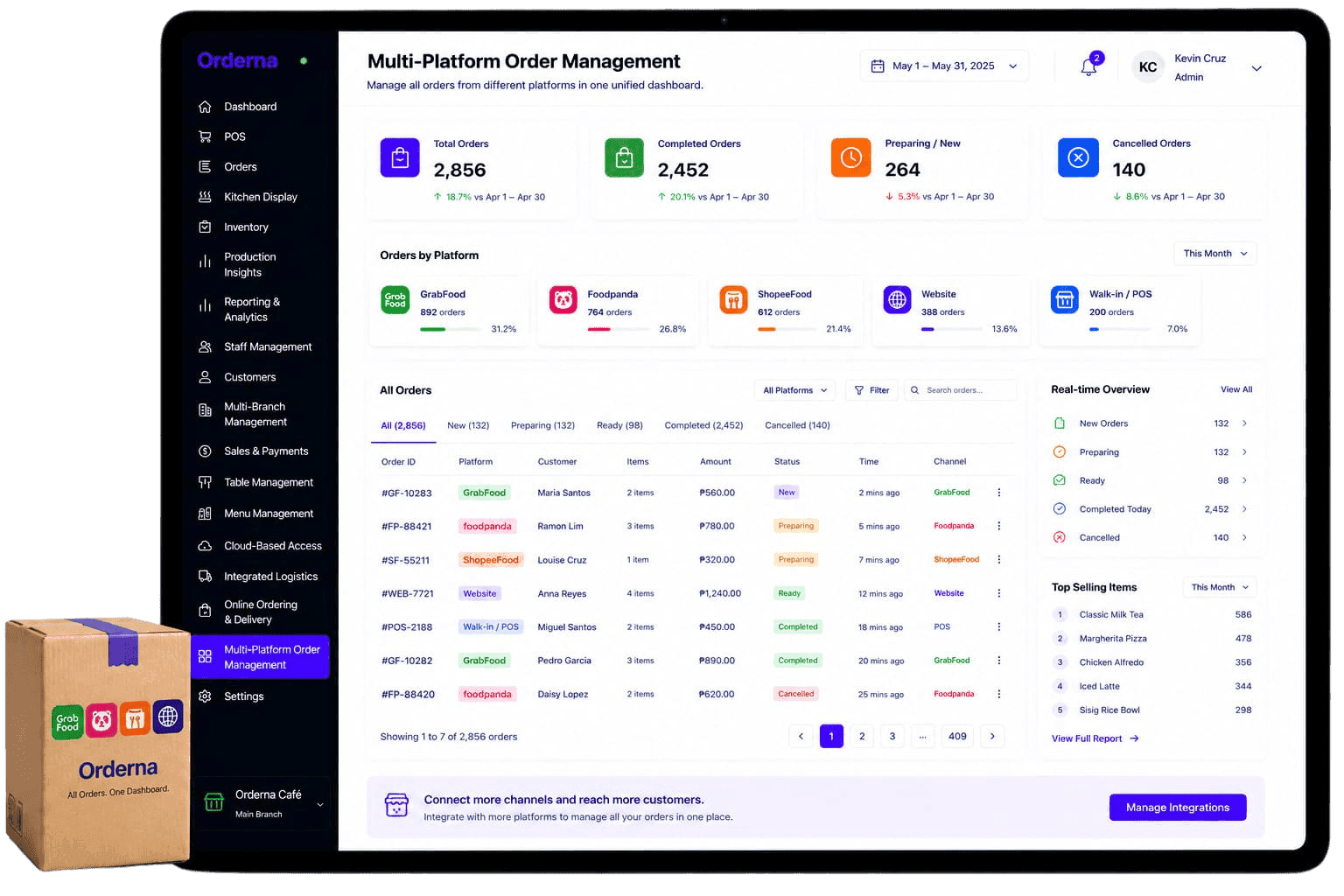
Receive and manage orders from GrabFood, Foodpanda, and your own online store in one unified dashboard. No more switching tablets or missing orders across platforms.
Problems We Solve
Managing Multiple Platforms With Multiple Tablets Is Unsustainable.
One tablet per delivery platform creates missed orders, kitchen confusion, and reporting chaos. Here is what operators deal with.
Multiple Tablets
- One device per delivery platform taking up counter space
- Orders missed when a tablet goes unwatched
- Different sounds and notifications across devices
- Staff juggling multiple screens during peak delivery hours
Kitchen Confusion
- Orders from different platforms arriving without unified routing
- Kitchen manually routing orders from each platform's printout
- High error rate during peak delivery hours from mixed sources
- No clear priority across platforms when orders pile up
Reporting Chaos
- Revenue from each platform tracked in separate reports
- No unified view of total delivery sales across channels
- Hard to compare which platform drives the most value
- Manual consolidation of reports from each platform
How Orderna Helps
Every Platform. Every Order. One Place.
Orderna aggregates all your delivery platform orders into one unified queue: one screen, one kitchen display, one set of reports.
Unified Order Dashboard
All orders from all platforms appear in one screen. One device, one queue: no more switching between tablets.
Automatic Kitchen Routing
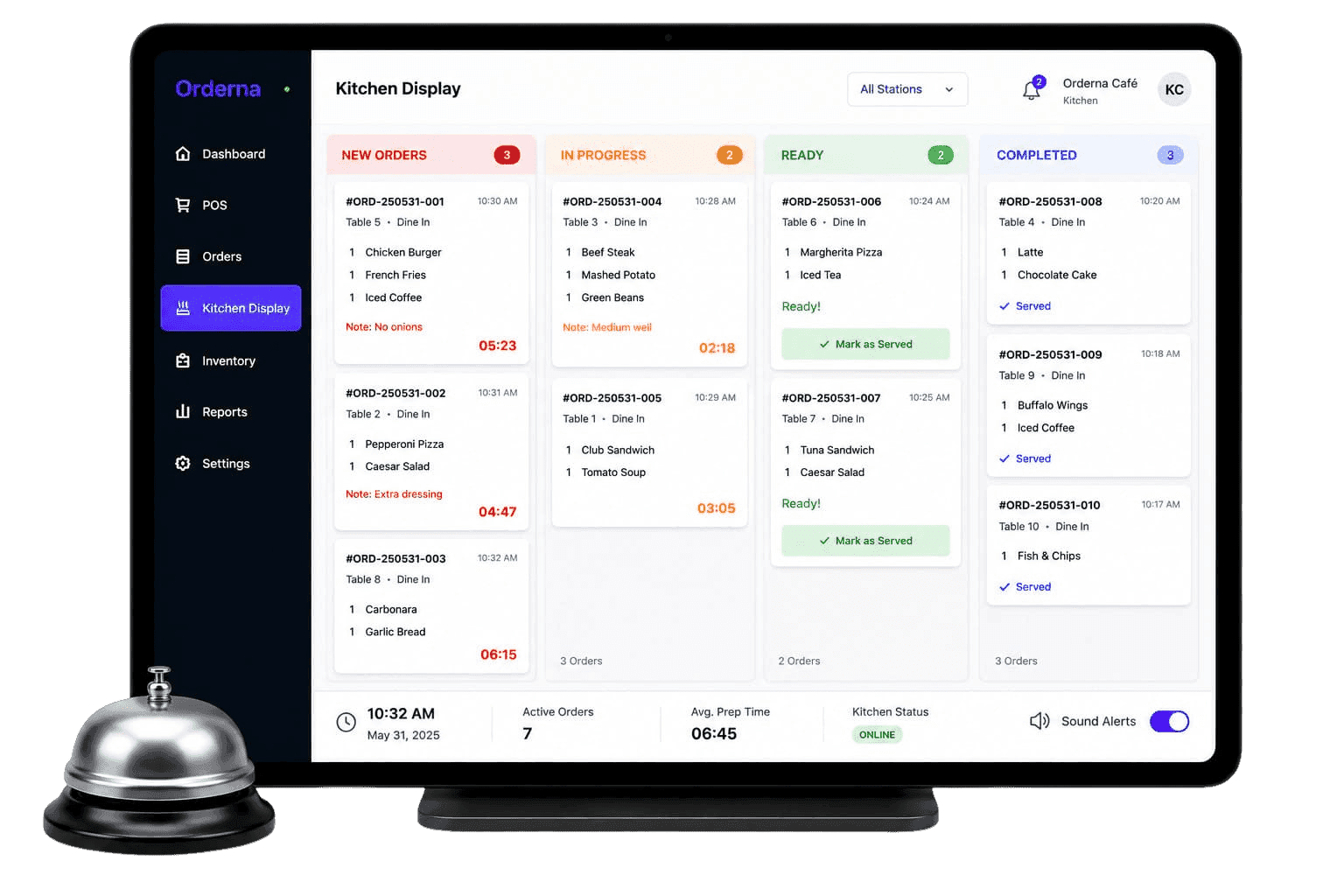
Every order (regardless of platform) goes to the kitchen display automatically. The kitchen sees one organized queue.
Real-Time Platform Sync
Orders from GrabFood, Foodpanda, and your own channel sync instantly. Nothing gets delayed or missed.
Cross-Platform Analytics
Compare order volume, revenue, and top items by platform side by side in one report.
Key Capabilities
Every Delivery Channel. Completely Under Control.
Platform Aggregation
Connect GrabFood, Foodpanda, and your own online store to one unified order queue.
Order Arrival Alerts
Get notified the moment an order arrives from any platform. Nothing goes unnoticed.
KDS Integration
All incoming orders appear on the kitchen display automatically, organized by platform or station.
Menu Sync
Update your menu once and push it across all connected delivery platforms simultaneously.
Per-Platform Revenue Reports
See sales, order counts, and top items broken down by platform for any date range.
Auto-Accept Rules
Set auto-accept so incoming orders are confirmed instantly without manual action per order.
Best For
For Any Kitchen Serving Customers on Multiple Platforms.
If you accept orders from more than one channel, Orderna makes sure every one of them reaches the kitchen and gets tracked in one place.
Cloud Kitchens
Manage orders from every delivery platform in one kitchen without a separate tablet per platform.
Restaurants on Multiple Platforms
Stop switching between GrabFood and Foodpanda tablets: handle everything from one screen.
Delivery-First Brands
Centralize all incoming orders and route them to the kitchen automatically for faster fulfillment.
QSR with Delivery Channels
Handle in-store and delivery orders from the same unified queue without confusion.
Multi-Brand Delivery Operators
Receive orders for multiple brands from multiple platforms in one organized view.
Chains with High Delivery Volume
Scale delivery operations without adding more devices or staff to manage platform tablets.
Related Features
Works Best Together.
Multi-Platform Orders works best alongside your kitchen display, menu management, and delivery analytics.
Kitchen Display System
Route orders to kitchen screens in real time. Prioritize tasks by platform or prep time and reduce errors during peak periods.
FAQ
Frequently Asked Questions
Have questions? We've got you covered. Explore our frequently asked questions to learn more about how Orderna can help your business succeed.
Book a demo and get expert, tailored guidance
Schedule a 30-minute call with our Sales team, just fill out the form.