
Zero Tickets. Zero Confusion. Every Order on Screen.
Replace paper tickets with a real-time kitchen display that routes orders automatically, prioritizes by prep time, and keeps your kitchen moving, even during the rush.
Problems We Solve
Paper Tickets Are Slowing Your Kitchen Down.
Lost tickets, misread orders, and poor prioritization during peak hours are kitchen killers. Here is what happens without a kitchen display system.
Order Accuracy
- Paper tickets getting lost or damaged during service
- Orders completed in the wrong sequence
- Staff misreading handwritten modifications
- Delays from waiting on verbal instructions
Communication
- Front of house does not know when orders are ready
- Kitchen does not know which table is a priority
- No way to flag urgent or modified orders
- Shouting across the kitchen creates noise and errors
Peak Hour Pressure
- Kitchen overwhelmed during rush with no clear queue
- Staff completing easier tickets while priorities wait
- High-priority orders getting buried under the pile
- No way to identify bottlenecks during peak service
How Orderna Helps
Your Kitchen. Organized. Even at Full Capacity.
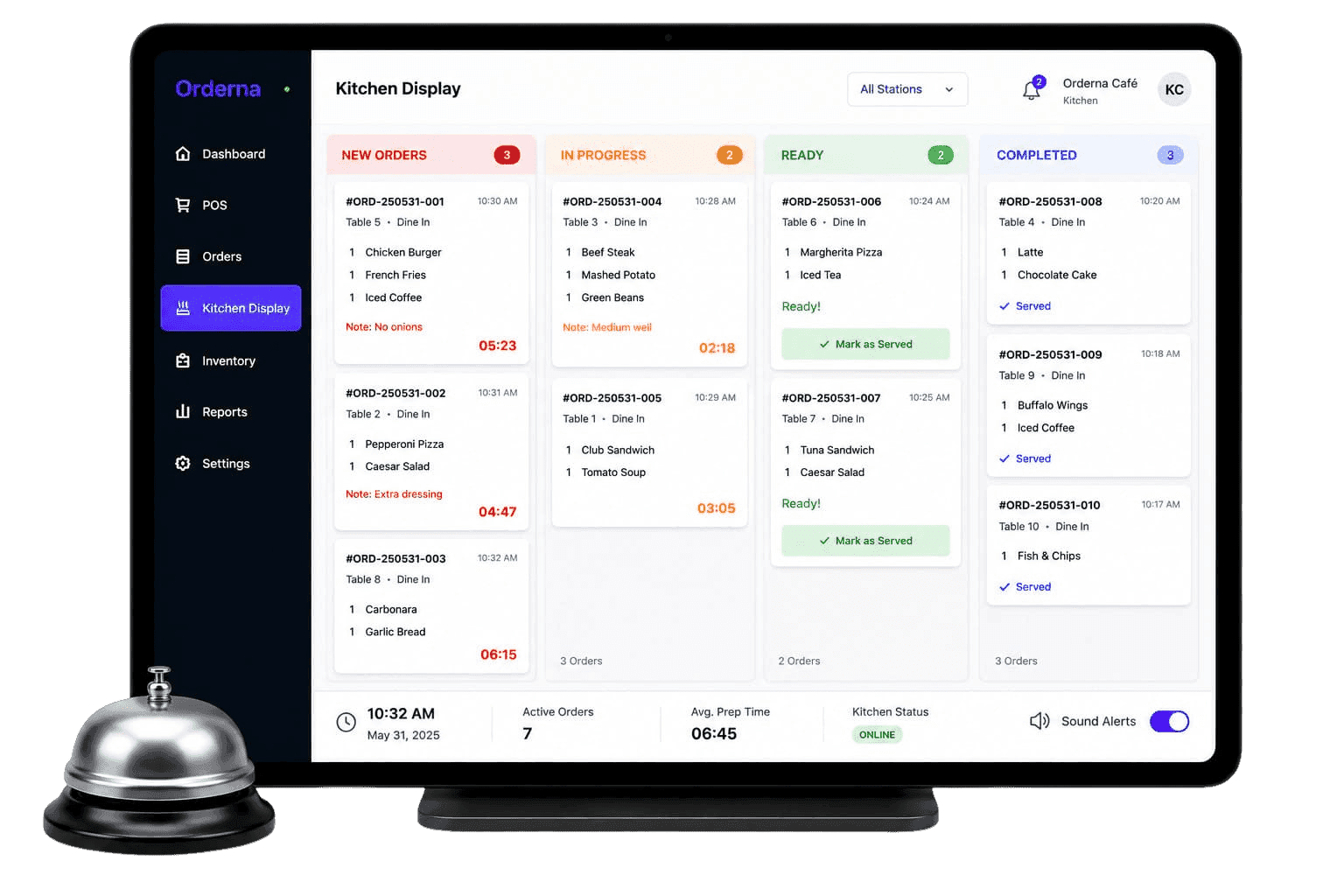
Orderna KDS replaces paper tickets with a live digital queue: every order visible, every station informed, every update instant.
Real-Time Order Display
Every order appears on the kitchen screen the moment it is placed at the POS. No printing, no running tickets.
Automatic Station Routing
Route orders to the right kitchen station (grill, fryer, cold prep) based on item type, automatically.
Order Ready Alerts
One tap notifies the front of house when an order is prepared and ready for service or pickup.
Priority Queue
Orders display with timestamps. Oldest orders stay prominent until completed. Nothing gets missed.
Key Capabilities
A Kitchen Display That Works the Way Your Team Does.
Live Order Queue
All active orders visible in real time, organized by time received and station.
Station-Specific Routing
Configure which menu items go to which kitchen station. Grill, fryer, cold section: all separated.
Ready Notifications
Front-of-house staff are alerted the moment an order is prepared and ready for service.
Time Tracking per Order
See how long each order has been in the queue. Identify and address bottlenecks during peak periods.
Platform-Based Filtering
View dine-in, takeaway, and delivery orders separately on the same screen to prioritize correctly.
Instant POS Updates
Any modification made at the POS appears on the kitchen display immediately, no re-printing needed.
Best For
Built for Any Kitchen That Serves at Speed.
Whether you run a single-station kitchen or a multi-station operation, Orderna KDS keeps every order visible, routed, and on time.
Full-Service Restaurants
Coordinate the kitchen and front of house without shouting across the pass during service.
QSR & Fast Food Outlets
Manage high-volume order flow without physical tickets or lost paper during peak hours.
Pizza & Delivery Kitchens
Route delivery and dine-in orders to the right prep area simultaneously from one screen.
Cloud Kitchens
Manage orders from multiple delivery platforms on one KDS screen per station.
Food Courts & Market Stalls
Keep preparation organized even with multiple concurrent orders from different counters.
Hotel F&B
Coordinate orders across restaurant, room service, and banquet from one kitchen display.
Related Features
Works Best Together.
Kitchen Display works best when connected to your full front-of-house and delivery management system.
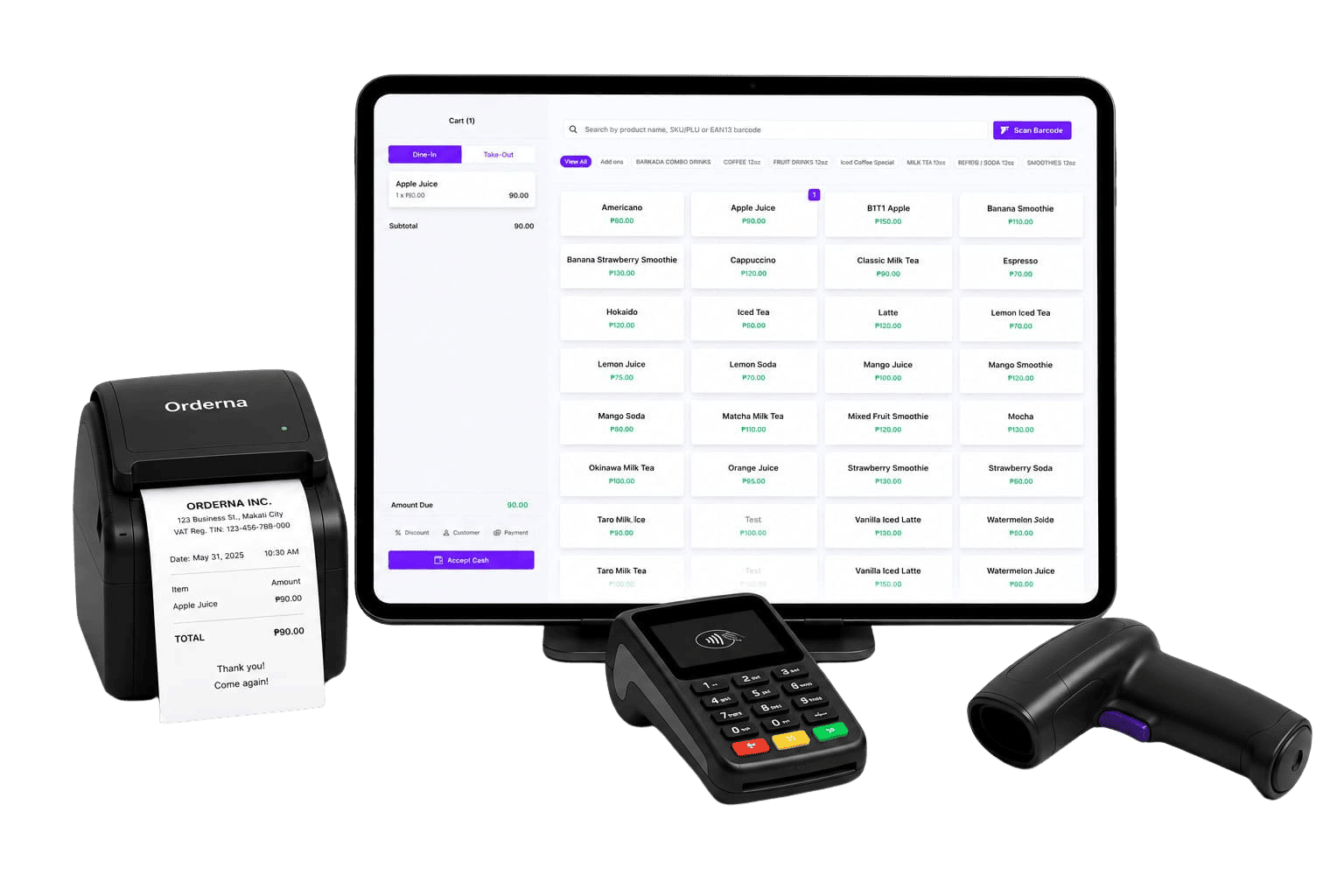
Point of Sale
Process orders and payments fast from a single screen: dine-in, takeaway, or delivery. An interface your staff can learn in minutes.
FAQ
Frequently Asked Questions
Have questions? We've got you covered. Explore our frequently asked questions to learn more about how Orderna can help your business succeed.
Book a demo and get expert, tailored guidance
Schedule a 30-minute call with our Sales team, just fill out the form.