
Scan. Add. Done. Speed Up Every Transaction.
Add items at checkout, receive stock, and run inventory counts faster with barcode scanning. Fewer errors, less manual input, and a faster customer experience.
Problems We Solve
Manual Product Lookup Slows Everything Down.
Searching for products by name during a busy checkout is slow and error-prone. Here is what businesses deal with without barcode scanning.
Slow Checkout
- Manually searching for products by name during a busy checkout
- Long queues because each item takes too long to find and add
- Errors from selecting the wrong item during manual lookup
- Cashiers slower on high-SKU transactions than they should be
Receiving Errors
- Manually logging incoming stock quantities from delivery notes
- Miscounts during receiving due to manual entry
- Time-consuming stock checks on every supplier delivery
- Discrepancies between system quantities and physical stock
Inventory Accuracy
- Manual stock counting taking hours every cycle
- Human error in recording stock counts
- No quick way to verify shelf stock against the system
- Returns processed incorrectly due to manual item lookup
How Orderna Helps
Faster Checkout. Fewer Errors. Zero Manual Lookup.
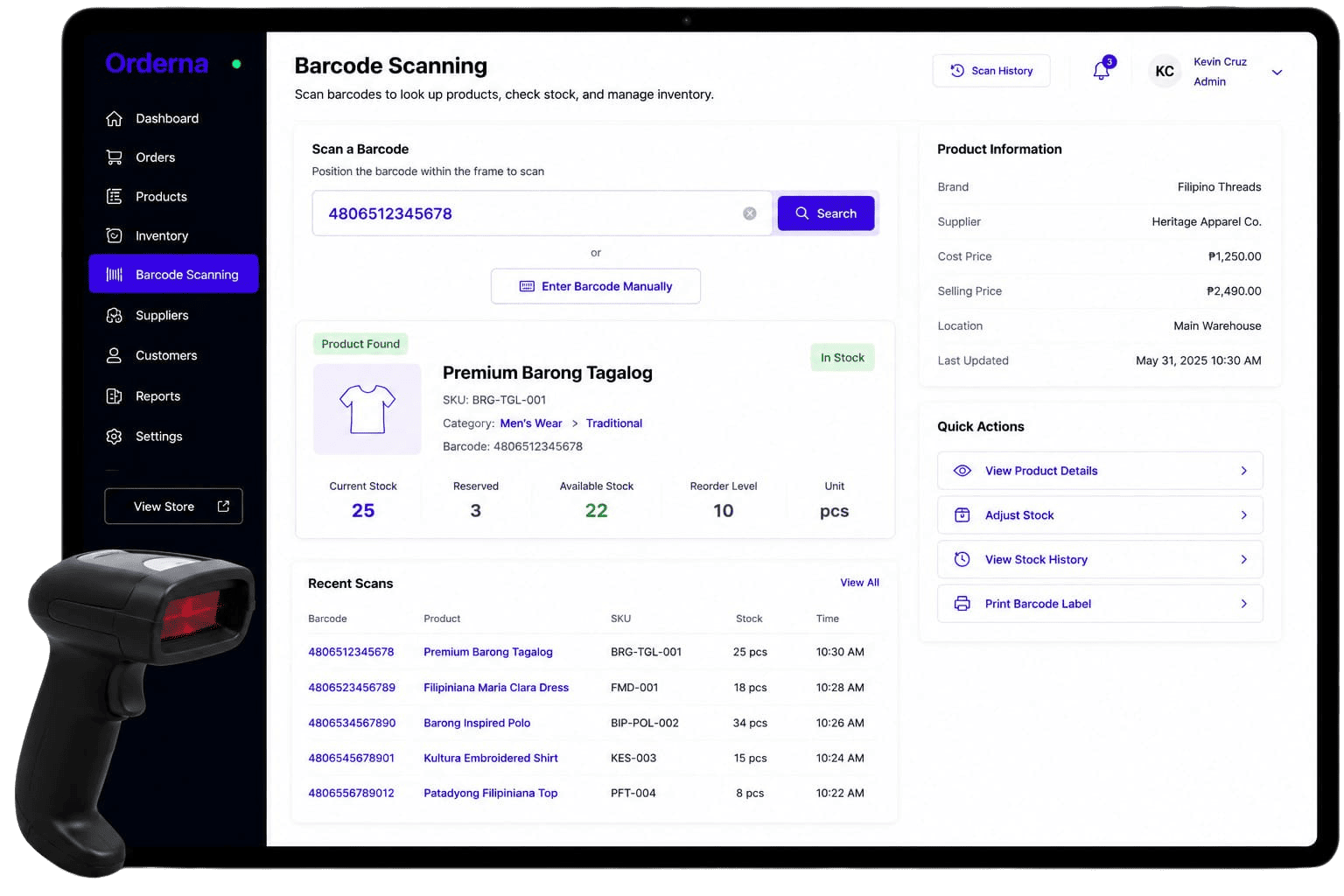
Orderna's barcode integration turns every scan into an instant action: at the counter, at the stockroom, or during a receiving check.
Instant Item Lookup
Scan any product barcode to add it to a transaction instantly. No manual searching, no scrolling through lists.
Fast Stock Receiving
Scan items as they arrive from suppliers. Inventory updates automatically. No manual count sheets needed.
Accurate Inventory Counts
Scan items during stock checks to update counts in real time, much faster and more accurate than manual entry.
Faster Checkout for Everyone
Reduce the time per transaction significantly at any checkout counter, especially for high-SKU retail environments.
Key Capabilities
Barcode Scanning for Every Part of Your Operation.
POS Barcode Checkout
Scan product barcodes at checkout to add items to the cart instantly, no search or scroll.
Barcode-Based Receiving
Scan items during supplier delivery to update stock levels automatically on arrival.
Stocktake via Scan
Use a barcode scanner to count physical stock and reconcile against system records accurately.
Barcode Generation
Generate and print barcodes for products that do not have them yet. Works with any standard barcode format.
Return Processing via Scan
Scan returned items to process returns quickly and accurately without manual product lookup.
Scan-Based Audit Logs
Every scan (checkout, receiving, or stock count) is logged with timestamp and user for accountability.
Best For
For Any High-SKU Business That Cannot Afford Checkout Errors.
From grocery stores to pharmacies to fashion retail, barcode scanning makes every transaction faster and every inventory count more accurate.
Supermarkets & Groceries
Speed through hundreds of daily transactions with scan-based checkout and barcode receiving.
Pharmacies
Scan each medication at checkout for zero manual lookup errors and full prescription accuracy.
Fashion & Apparel Retail
Handle variant-heavy catalogs (sizes, colors) with scan accuracy and no manual entry.
Electronics & Hardware Stores
Process complex, high-SKU transactions quickly and accurately even under pressure.
Wholesale & Distribution
Receive supplier deliveries and log stock accurately at the dock without manual entry.
Convenience Stores
Streamline checkout during peak hours with fast scan-and-go for every customer.
Related Features
Works Best Together.
Barcode Scanning connects with inventory management, supplier receiving, and POS for complete scan-based operations.
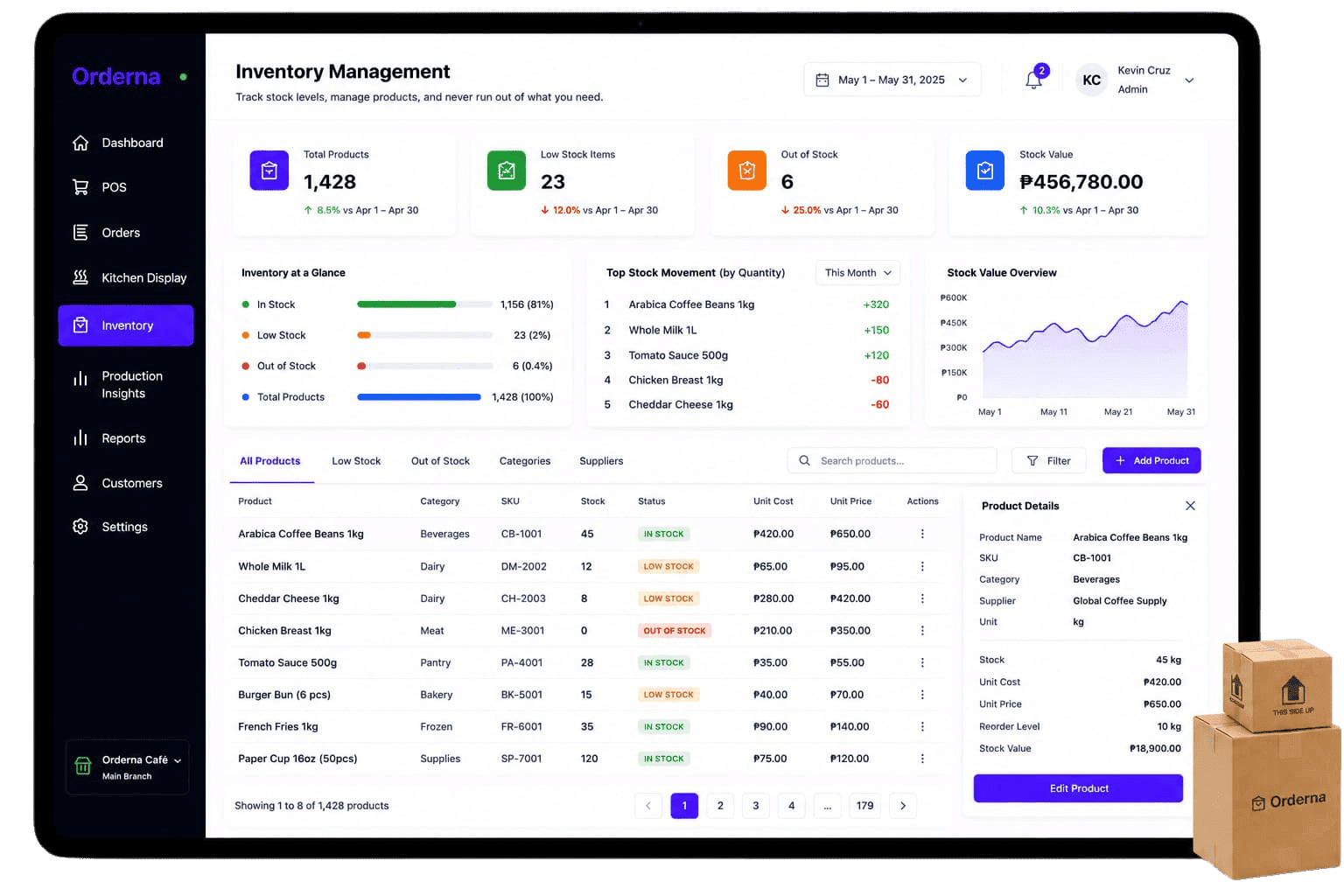
Inventory Management
Track stock levels in real time. Get low-stock alerts and automatic deductions after every sale, no manual counting.
FAQ
Frequently Asked Questions
Have questions? We've got you covered. Explore our frequently asked questions to learn more about how Orderna can help your business succeed.
Book a demo and get expert, tailored guidance
Schedule a 30-minute call with our Sales team, just fill out the form.